
 CalcBuilder example
Solar Panel Savings Calculator
September 17, 2026

Live result on the frontend
The Solar Panel Savings Calculator is a worked Calc Builder example built end-to-end in the admin UI: six numeric inputs, a server-side PHP calculation, and a dashboard-style results panel with gradient hero cards, supporting metric cards and Font Awesome icons.
What it calculates
A visitor enters their system size (kW), installation cost per watt, current average monthly electricity bill, average peak sun hours per day, utility electricity rate, and any federal/local incentive percentage. From those six numbers the calculator works out:
- Gross and net system cost — installation cost before and after the incentive is subtracted.
- Monthly and annual savings — estimated energy production (kW × sun hours × 30 days) valued at the local electricity rate, capped at the visitor's current bill so the numbers never look inflated.
- Payback period — net cost divided by annual savings, in years.
- 25-year net savings — a simple lifetime projection.
Why it's a good Calc Builder example
All six inputs use the same Number field type — a deliberately simple choice so the example stays focused on demonstrating the two parts most builders care about most: the PHP Code screen and the Exit Layout screen.
The PHP Code reads each field directly as a variable (e.g. $system_size,
$cost_per_watt), does the math, then reuses each result variable name for its own
formatted (number_format) display string — the same convention used by the
site's Loan Calculator demo. Those result variables (net_cost,
payback_years, monthly_savings, annual_savings,
savings_25yr, and more) are then dropped straight into the Exit Layout as
##placeholders##.
The Exit Layout is where this example earns its keep as a template: instead of a plain list
of numbers, it's a scoped inline <style> block styling two gradient "hero"
cards (net cost after incentives, payback period) plus a responsive grid of four supporting
metric cards (monthly savings, annual savings, 25-year savings, monthly production), each with
its own Font Awesome icon (fa-solar-panel, fa-clock,
fa-bolt, fa-piggy-bank, fa-chart-line,
fa-sun) already loaded by the Joomla Cassiopeia template.
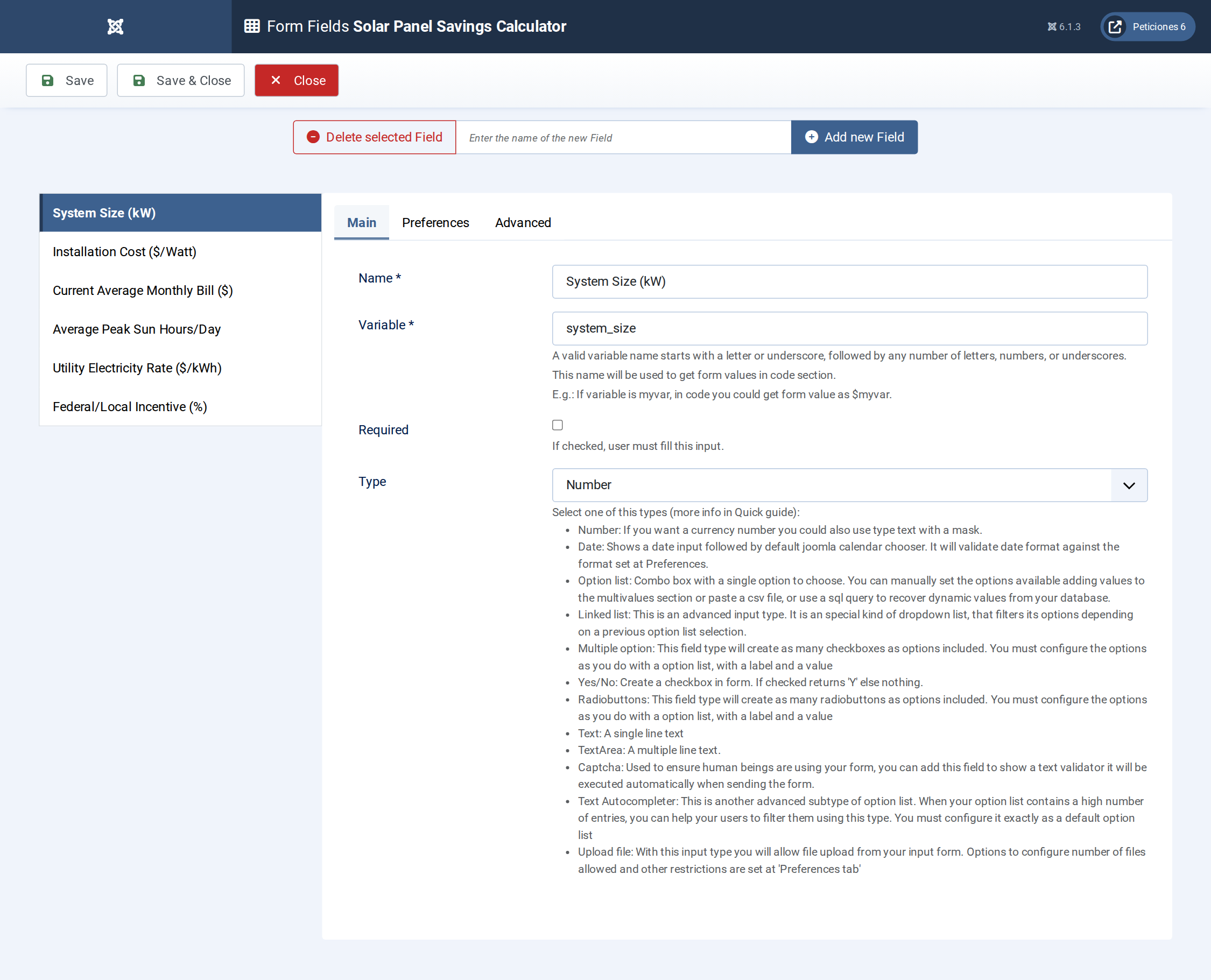
The six Number-type input fields, configured on the Form Fields screen.
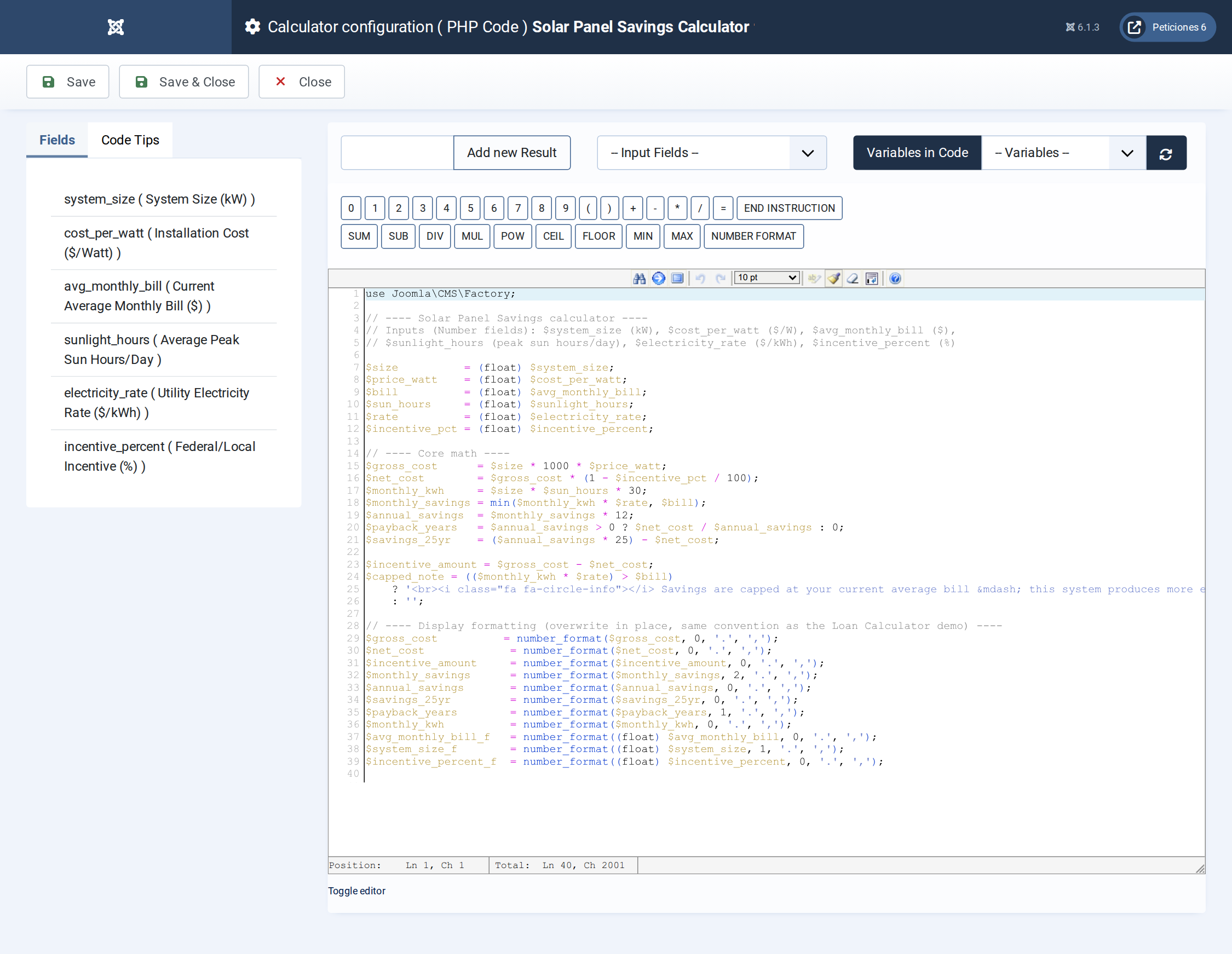
The PHP Code screen: inputs are read as plain variables, the core math runs, then every result variable is overwritten in place with its formatted display string.
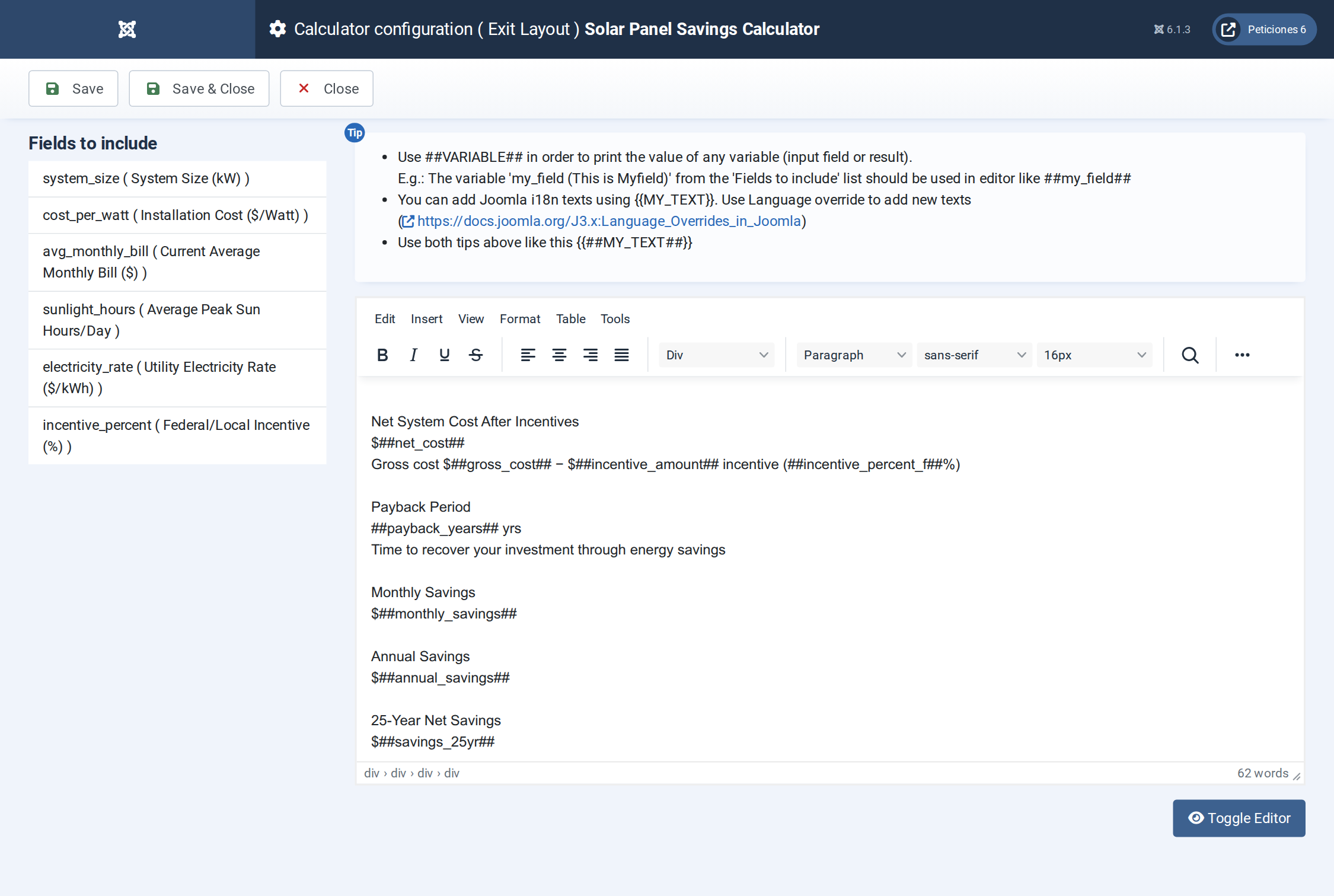
The Exit Layout screen, where the ##result_variable## placeholders and the scoped card CSS are assembled into the polished results panel shown above.
Want this exact example on your own site?
Download the file above, then in your Joomla admin open Components › CalcBuilder › Import and upload it — it's the same file you'd get from that component's own Export button, so it drops in as a ready-to-use, fully working copy in one step.