
 CalcBuilder example
Salary Take-Home Calculator
September 21, 2026

Live result on the frontend
The Salary Take-Home Calculator turns a gross salary into net pay using a real Excel workbook. Calc Builder writes the visitor’s numbers into the sheet, lets it recalculate a five-band progressive tax model and reads the band-by-band rows back to draw a breakdown table and a ‘where your gross goes’ bar.
What it calculates
A visitor enters a gross annual salary, how many payments per year they receive, their filing status, a pension percentage and whether they repay a student loan. The workbook returns:
- Net pay — annual take-home and the amount per payment (12, 13 or 14 payments a year).
- Total deductions — income tax, social contributions (with a salary cap), the pension contribution and the loan repayment above a threshold.
- Effective and marginal rate — the average share of gross paid in tax and social contributions, and the rate on the next euro earned.
- Tax by band — how much taxable income falls in each of the five bands and the tax it produces, after the personal allowance and pension relief.
How it’s built
The Spreadsheet screen holds the workbook with five input mappings (salary, pay frequency, filing status, pension % and a 1/0 student-loan flag into B5:B9) and ten output mappings (the result cells B12:B21 back into PHP variables). The band table, allowances, social cap and loan threshold are labelled illustrative and editable in the workbook, so anyone can replace them with real rules. The execution mode is custom: the //[EXCEL] marker in the PHP Code shows where the sheet runs.
The Yes/No checkbox is converted to 1/0 before the marker, and the Radio and List values are plain numbers (1/2 and 12/13/14) so they can be written straight into cells. After the marker $objPHPExcel is the loaded workbook: the PHP Code reads the band rows (42–46) to render the tax table and builds the stacked bar from the amounts. Mapped outputs arrive as formatted text, so the code strips the separators before doing arithmetic. Download the workbook below: import the calculator, then upload the Excel file on its Spreadsheet screen.
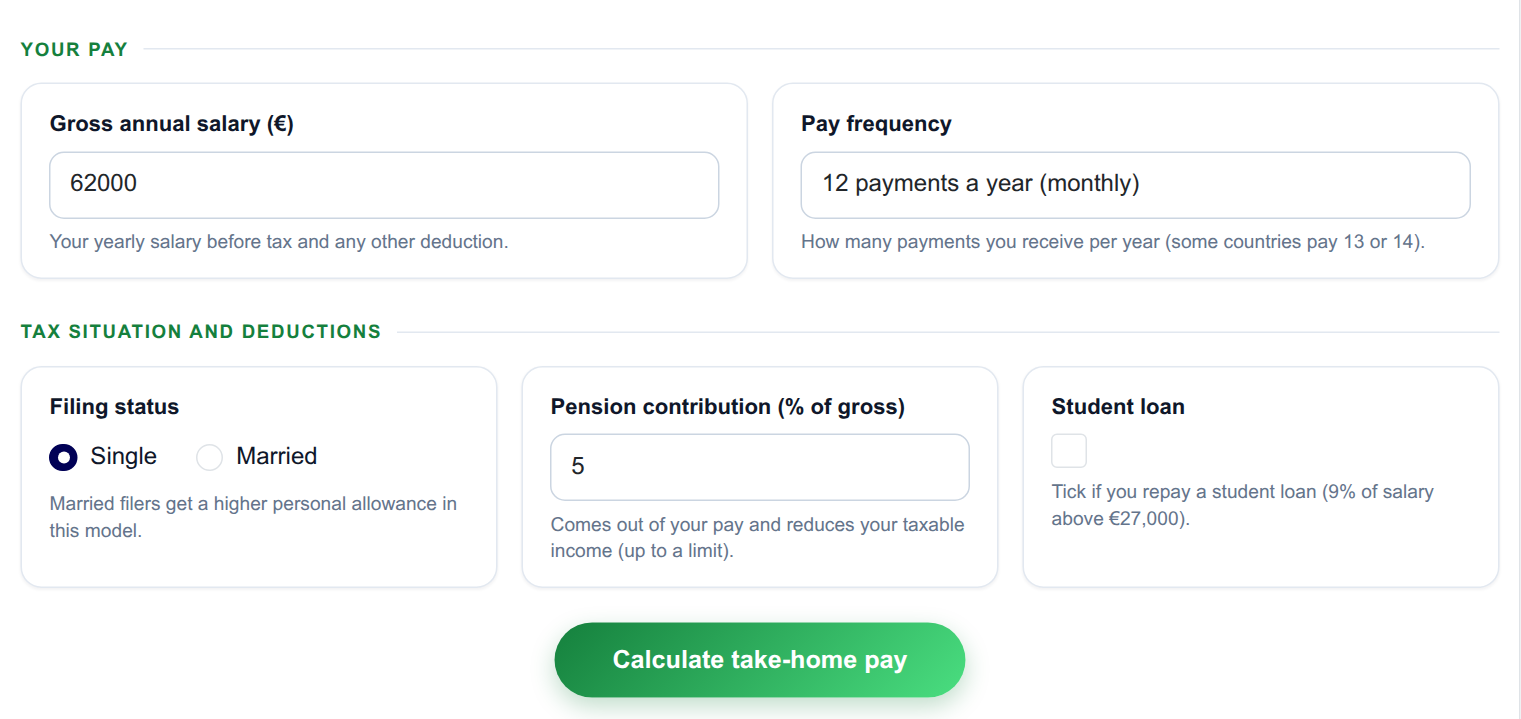
The input form as your visitors see it, styled with the Form Layout.
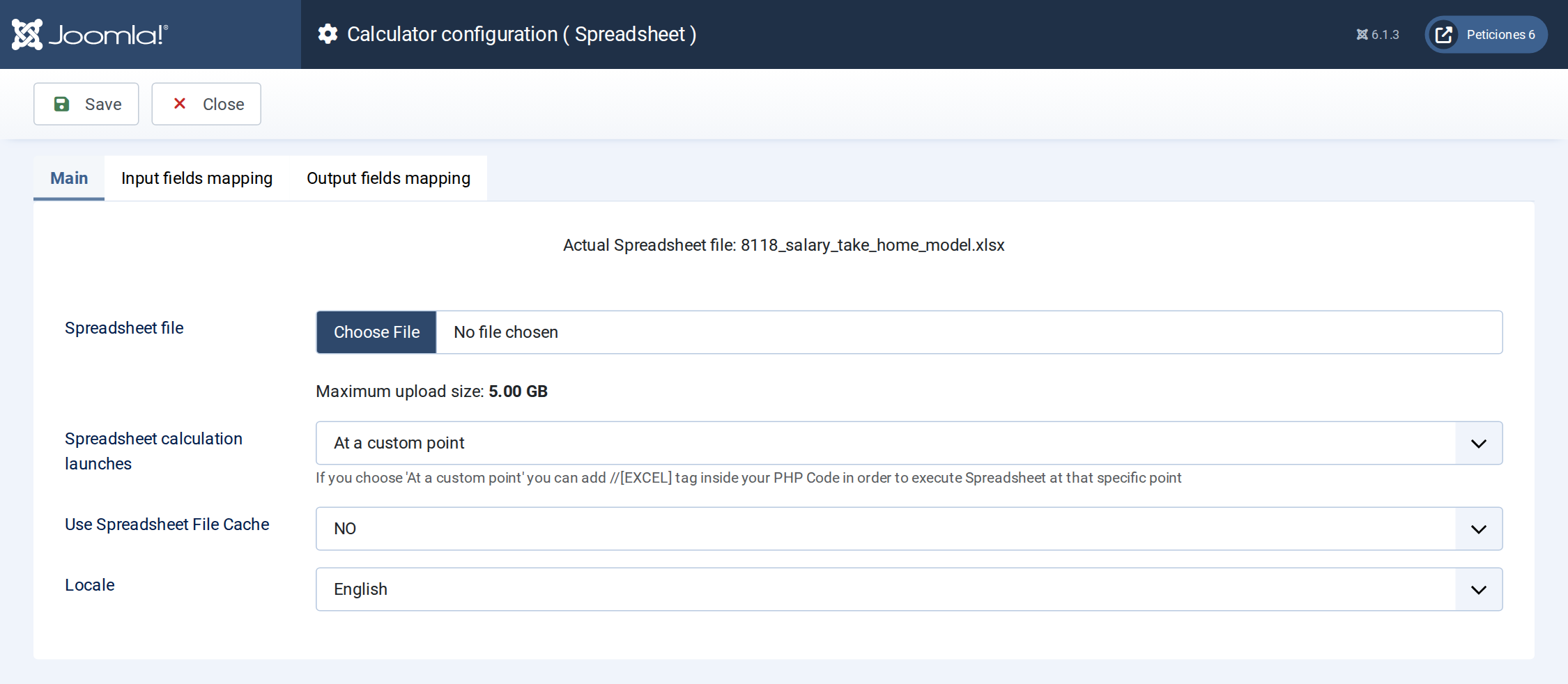
The Spreadsheet screen: the workbook is uploaded here and the execution mode is set.
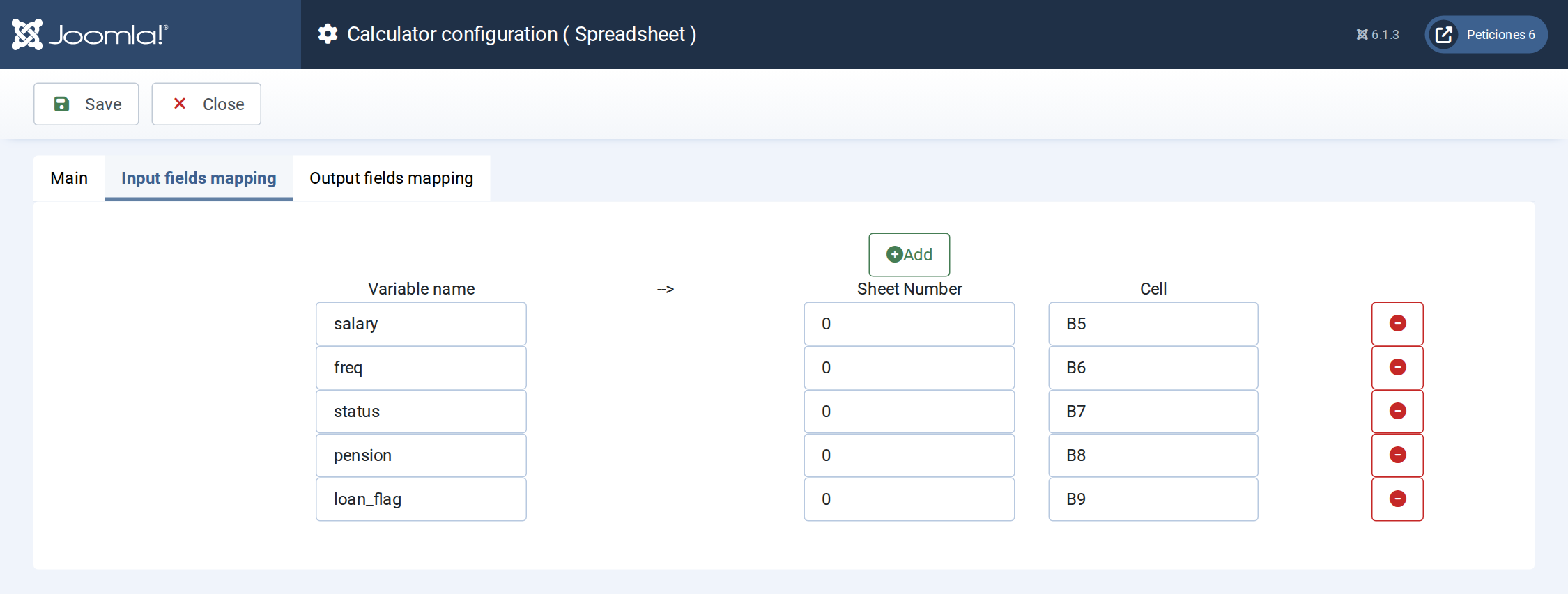
Input mapping: each Calc Builder variable is written into a cell of the workbook before it recalculates.
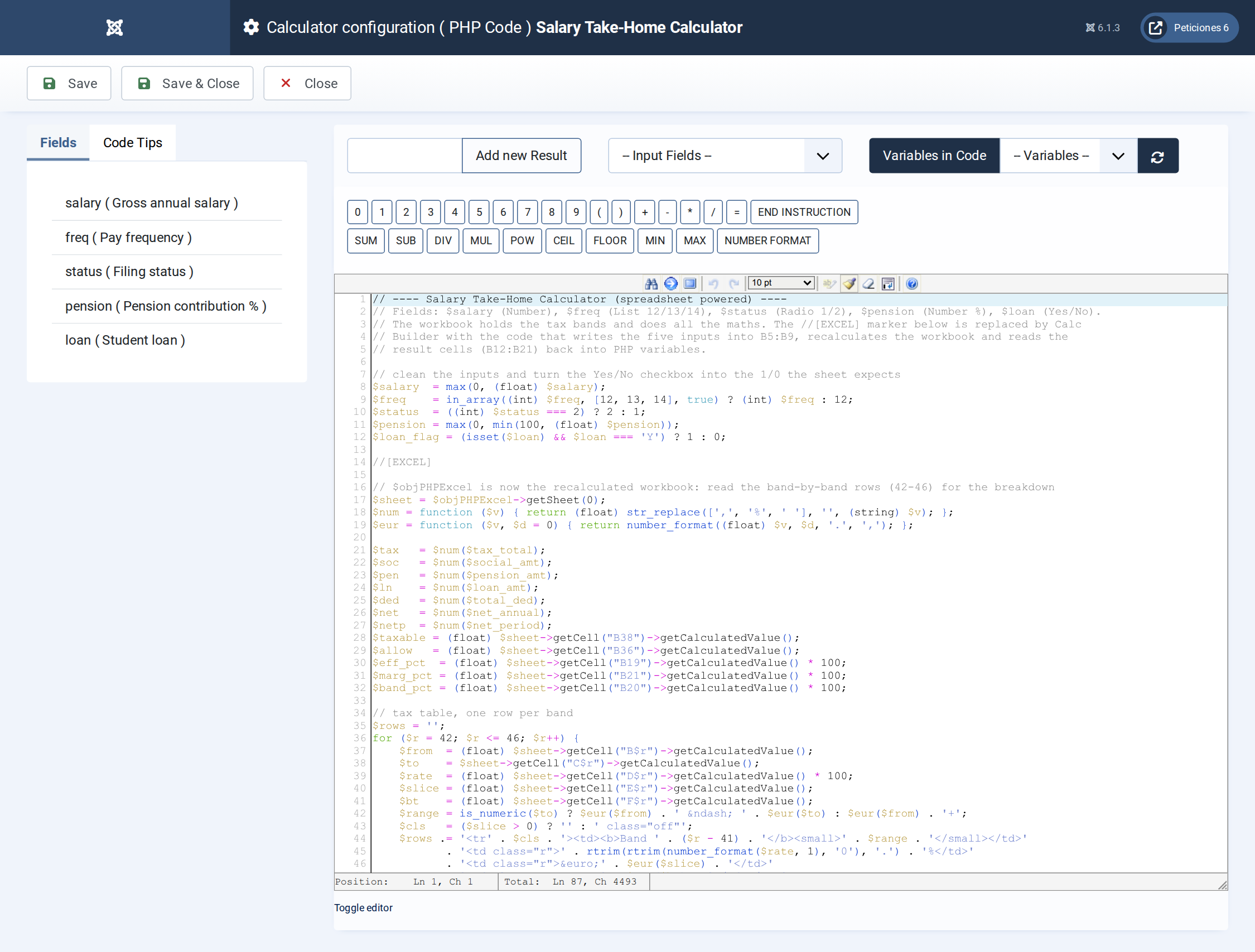
The PHP Code: inputs are cleaned, the //[EXCEL] marker runs the sheet, then the band rows are read back for the table and the stacked bar.
Want this exact example on your own site?
Download the file above, then in your Joomla admin open Components › CalcBuilder › Import and upload it — it's the same file you'd get from that component's own Export button, so it drops in as a ready-to-use, fully working copy in one step.
This example is powered by an Excel workbook. After importing the calculator, open its Spreadsheet screen, upload the Excel file below and save — the cell mappings come with the import.