
 CalcBuilder example
Event Catering Estimator
September 21, 2026

Live result on the frontend
The Event Catering Estimator budgets a party, wedding or corporate dinner with a real Excel workbook. Calc Builder writes the visitor’s choices into the sheet, lets it look prices up in its own tables and reads the costs back to draw a total, a cost per guest and a cost-breakdown chart.
What it calculates
A visitor enters the number of guests and hours, picks a menu, a service level, a venue type, the number of extra staff and whether there is an open bar. The workbook returns:
- Food — guests times the price per head of the chosen menu (buffet, 3-course seated, cocktail canapes or BBQ), found with INDEX/MATCH.
- Drinks and staff — an open-bar rate per head per hour, and waiters (one per 20 guests, rounded up) plus extra staff, paid for the event and set-up hours.
- Venue, service uplift and VAT — the venue hire fee, a 15% uplift on food, drinks and staff for premium service, and VAT on the subtotal.
- Total and cost per guest — the final budget, the cost per guest, and each cost line’s share of the total.
How it’s built
The Spreadsheet screen holds the workbook with seven input mappings (guests, hours, menu, service level, an open-bar 1/0 flag, extra staff and venue type into B5:B11) and eleven output mappings (the result cells B14:B24 back into PHP variables). The menu, venue and service price tables, the drinks rate, waiter ratio, staff rate and VAT live in the workbook and are editable, so a caterer can swap in real prices. The execution mode is custom: the //[EXCEL] marker in the PHP Code shows where the sheet runs.
The List and Radio fields use numeric option values (1–4, 1–3, 1/2) that the sheet matches against the code column of each price table; the Yes/No checkbox is converted to 1/0 before the marker. After the marker the PHP Code strips the thousands separators from the formatted results and builds the breakdown bars. Download the workbook below: import the calculator, then upload the Excel file on its Spreadsheet screen.
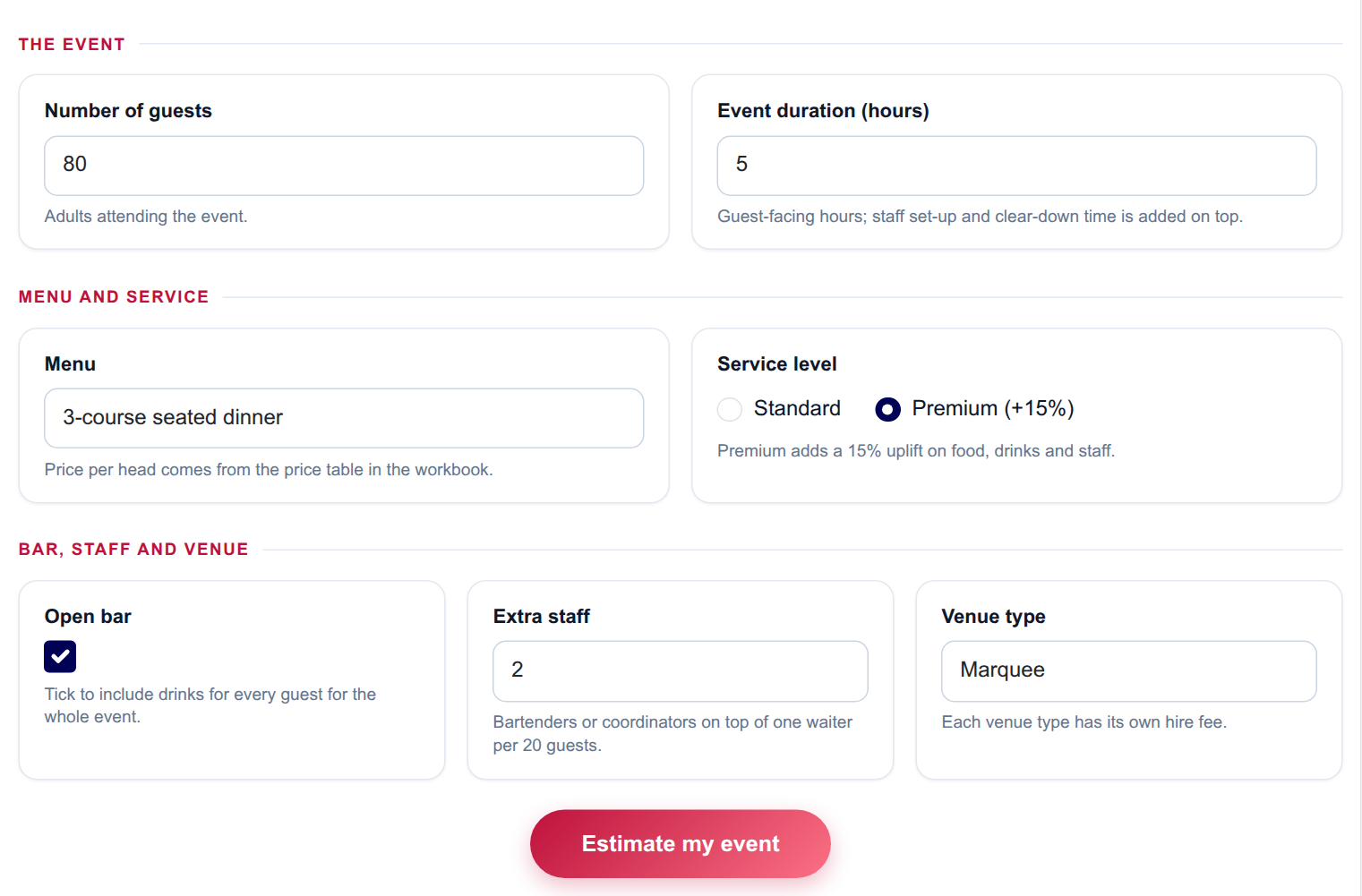
The input form as your visitors see it, styled with the Form Layout.
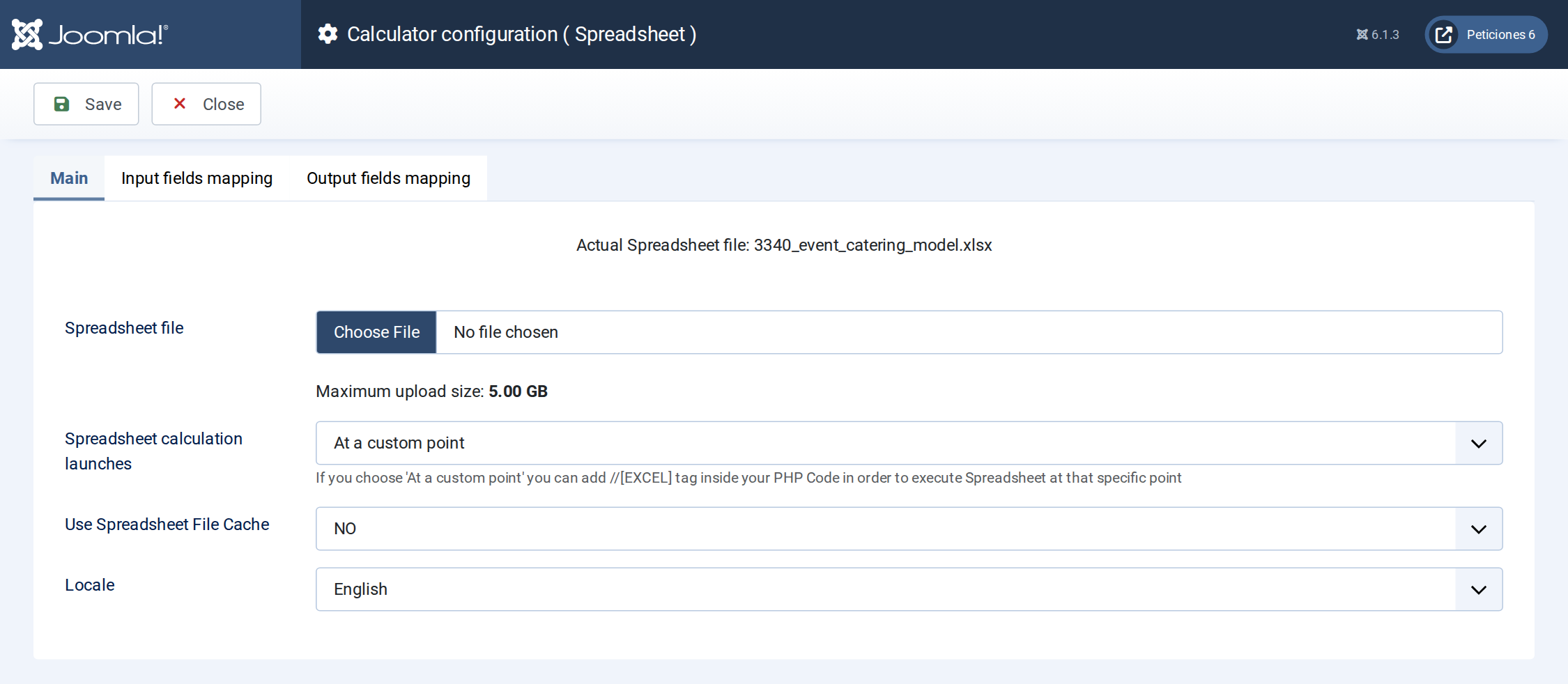
The Spreadsheet screen: the workbook is uploaded here and the execution mode is set.
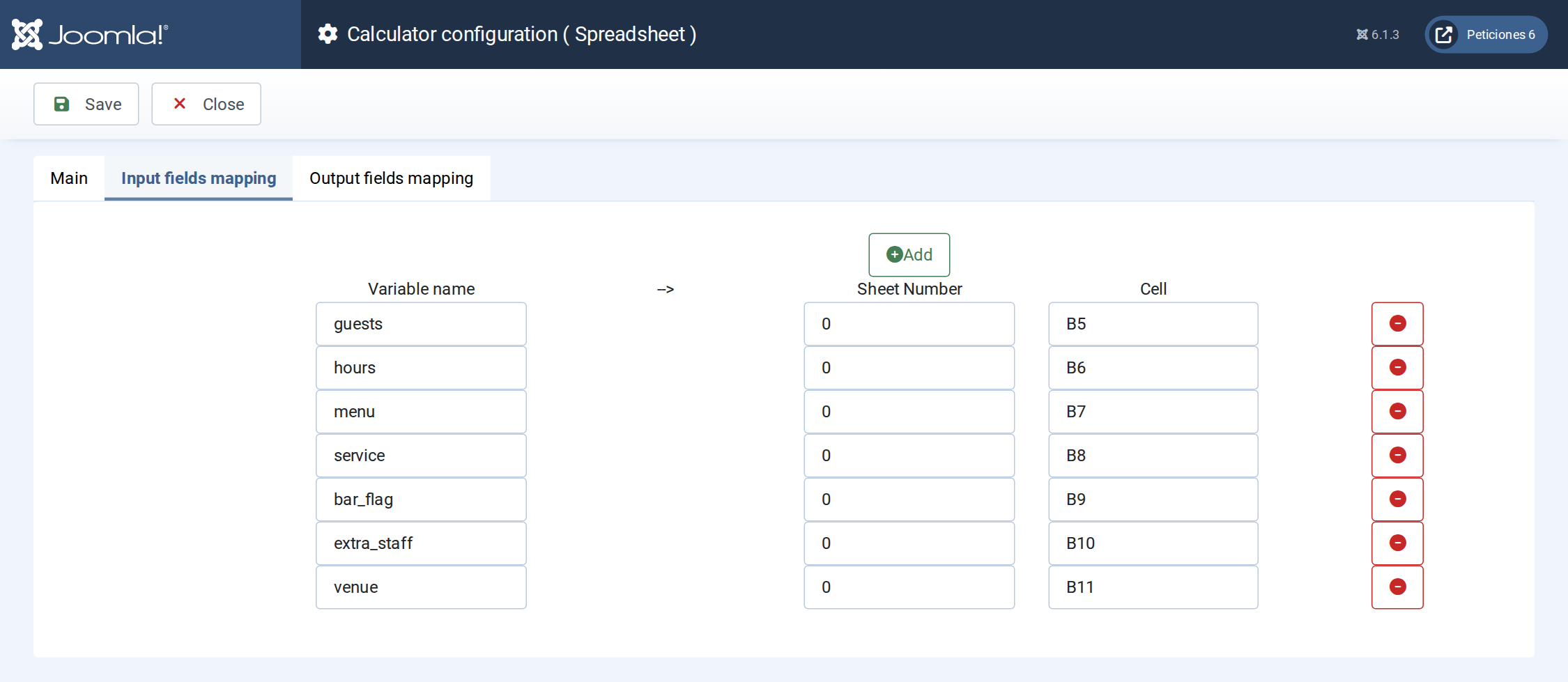
Input mapping: each Calc Builder variable is written into a cell of the workbook before it recalculates.
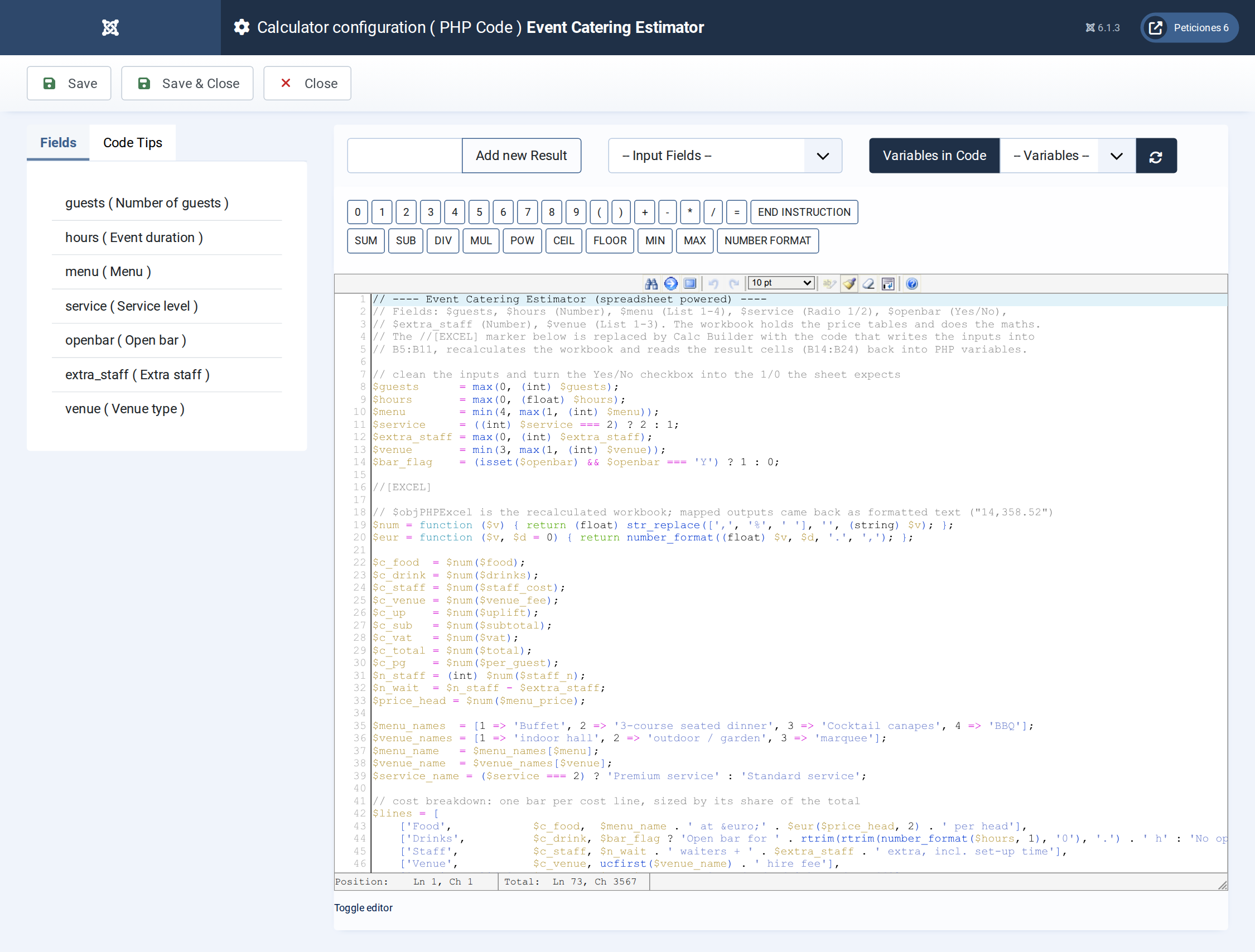
The PHP Code: inputs are cleaned, the //[EXCEL] marker runs the sheet, then the results are turned into the hero, metrics and breakdown bars.
Want this exact example on your own site?
Download the file above, then in your Joomla admin open Components › CalcBuilder › Import and upload it — it's the same file you'd get from that component's own Export button, so it drops in as a ready-to-use, fully working copy in one step.
This example is powered by an Excel workbook. After importing the calculator, open its Spreadsheet screen, upload the Excel file below and save — the cell mappings come with the import.