
 CalcBuilder example
BMI & Healthy Weight Range
September 21, 2026

Live result on the frontend
The BMI & Healthy Weight Range calculator turns height and weight into a Body Mass Index, shows where it falls on a colour-coded scale and works out the weight window that is healthy for that height.
What it calculates
A visitor picks metric or imperial units and enters a height and a weight. The calculator returns:
- BMI and category — weight divided by height squared, classed as underweight, healthy, overweight or obesity.
- Healthy weight range — the weights that give a BMI between 18.5 and 24.9 for that height, in the visitor’s own units.
- Distance to the window — how far above or below the healthy range the current weight is.
- Scale gauge — a segmented bar with a pointer placed at the visitor’s BMI.
How it’s built
A Radio field switches unit systems and two Number fields take the measurements. The PHP Code converts inches and pounds when needed, computes the BMI and builds display strings.
The gauge is plain HTML and CSS: PHP returns the pointer position as a percentage and the Exit Layout uses it as ##pct## inside an inline style, so no chart library is needed.
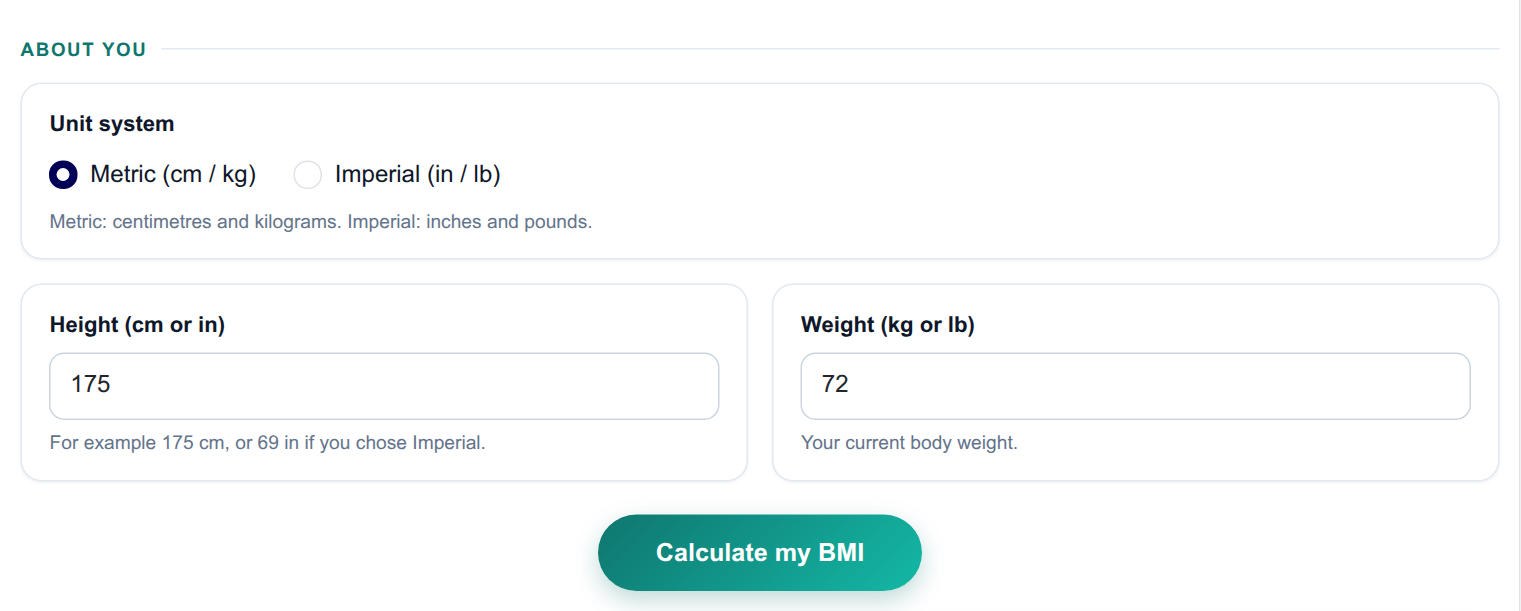
The input form as your visitors see it, styled with the Form Layout.
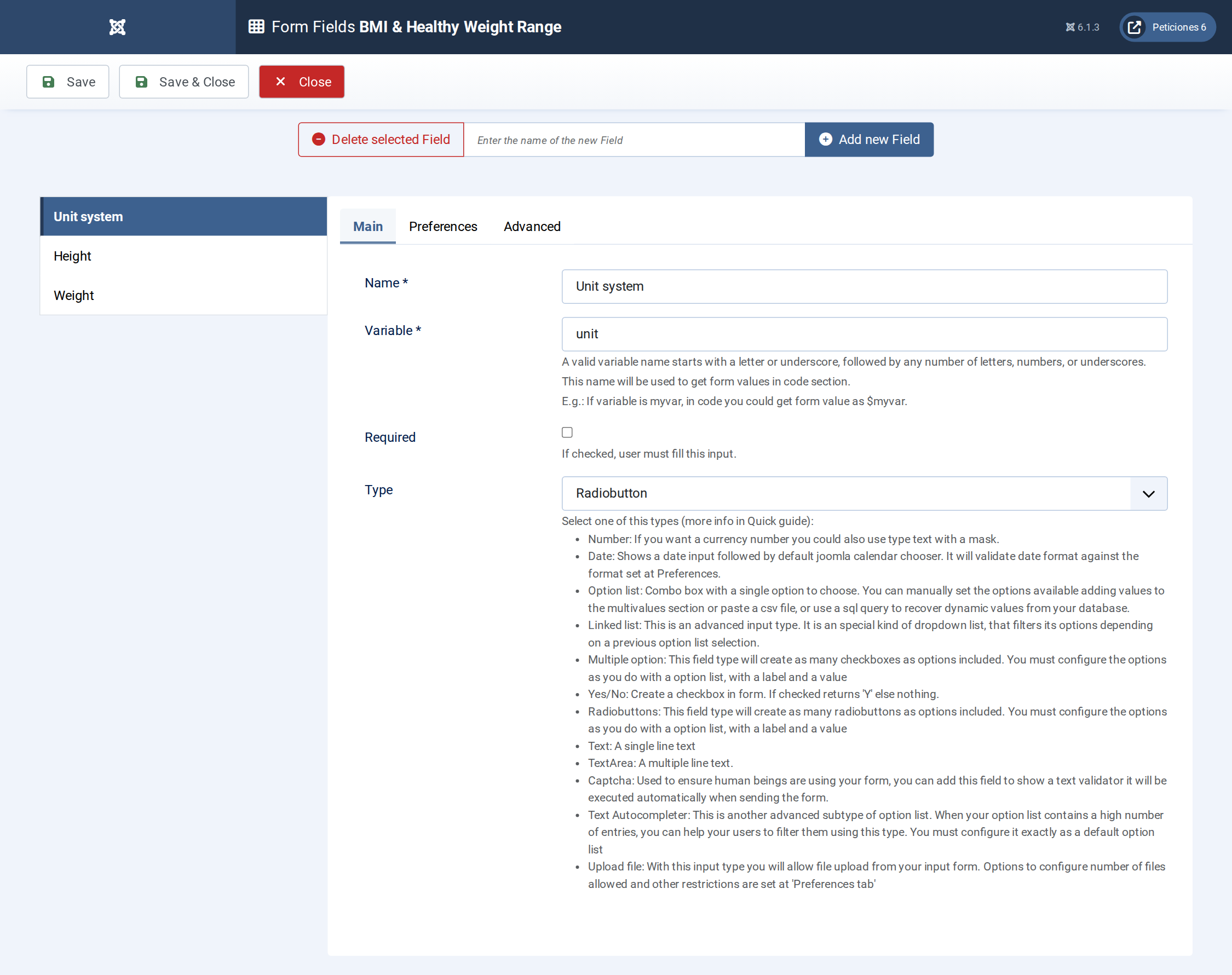
Three fields: one Radio for the unit system and two Number fields.
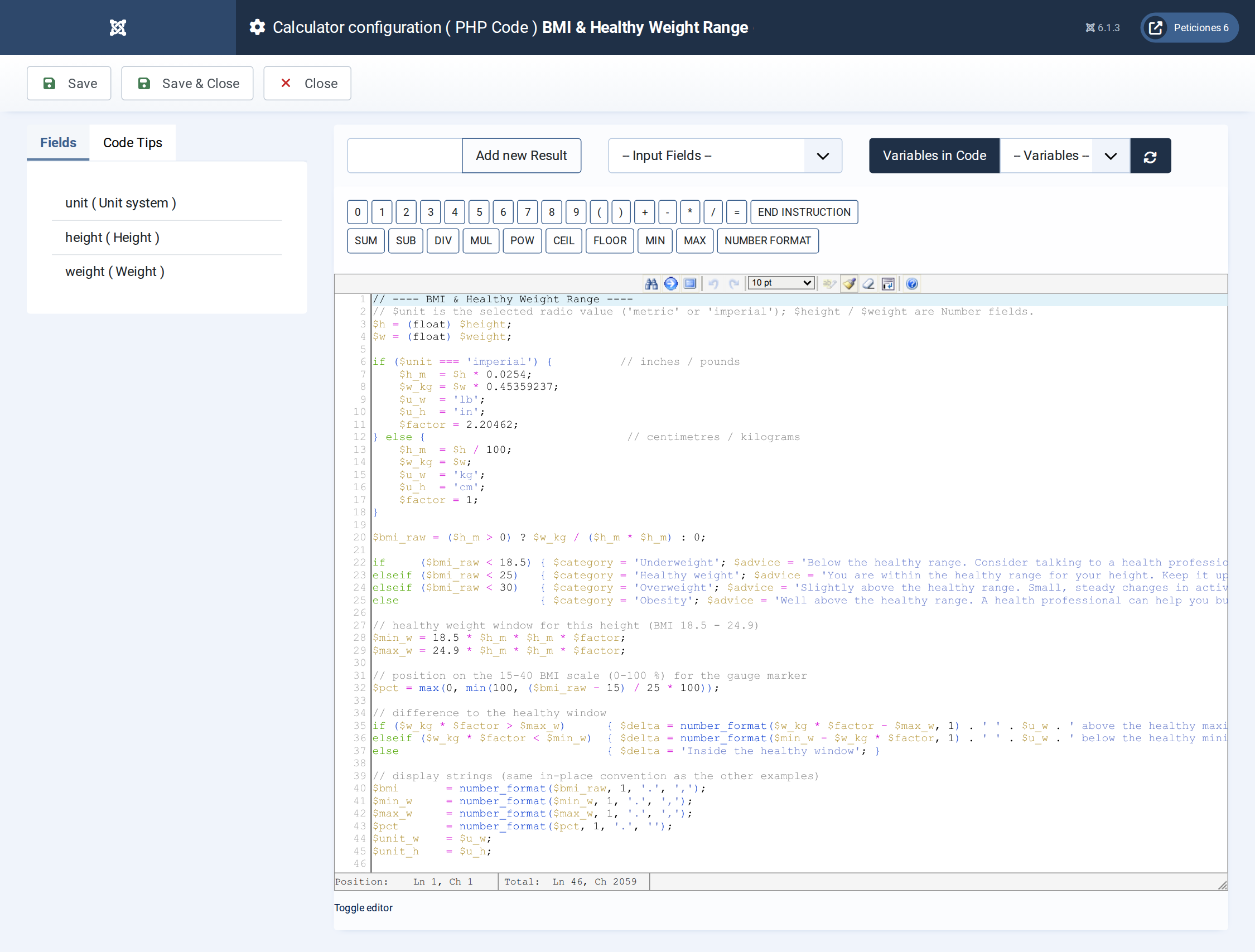
Unit conversion, BMI, category, healthy window and the gauge position, all in a few lines of PHP.
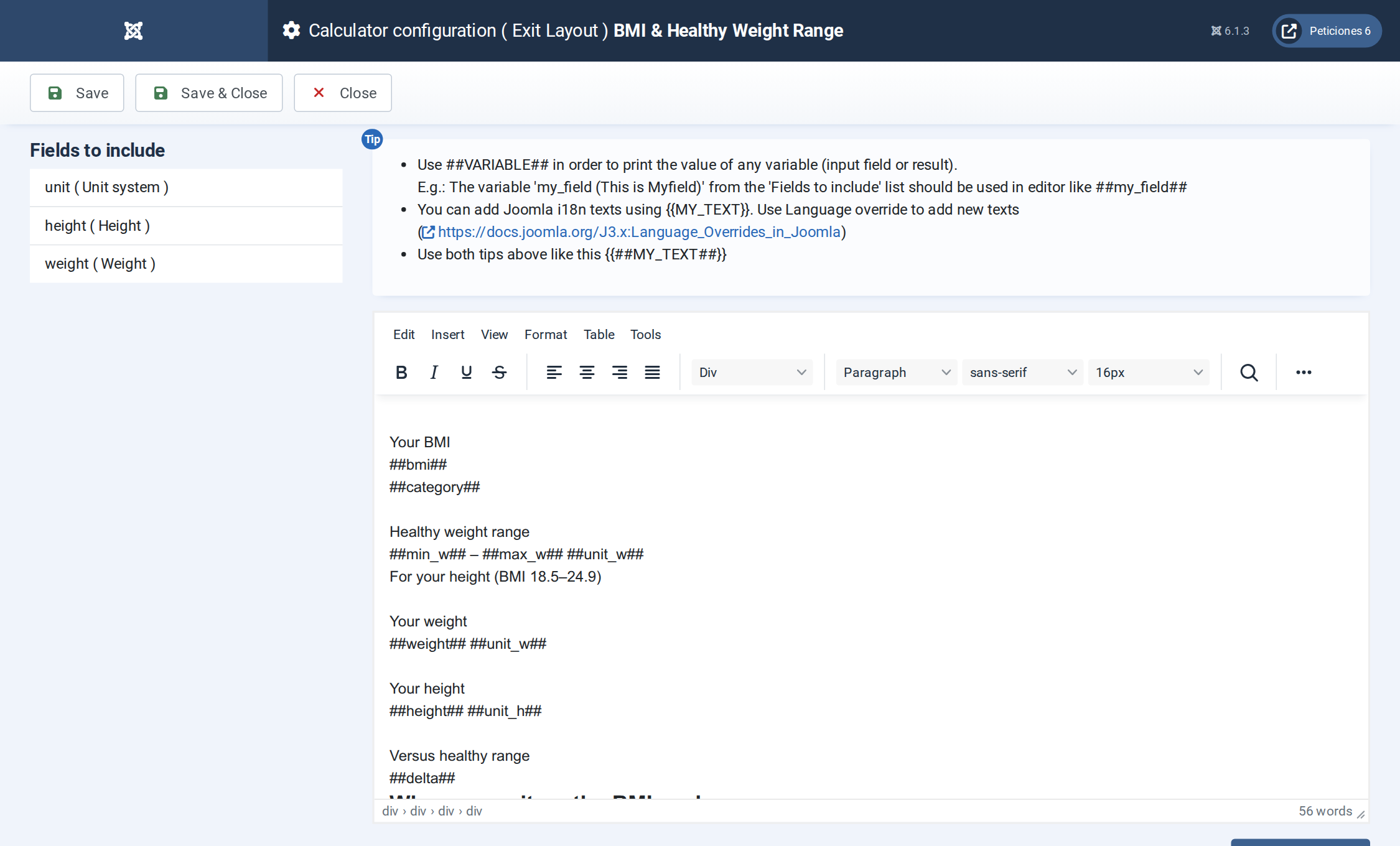
The Exit Layout: two hero cards, three metric cards, the gauge panel and a footnote.
Want this exact example on your own site?
Download the file above, then in your Joomla admin open Components › CalcBuilder › Import and upload it — it's the same file you'd get from that component's own Export button, so it drops in as a ready-to-use, fully working copy in one step.