
 List Manager example
Recipe Collection
September 21, 2026

Live result on the frontend
The Recipe Collection list turns a MySQL table of recipes into a browsable cookbook. Each row becomes a card with a gradient header coloured by category, and a click opens the full ingredients and method in a pop-up.
What it shows
The visitor can find a dish for tonight in seconds:
- Card layout — three columns on desktop, two on tablets, one on phones.
- Search and filters — a search box over name, description and ingredients, plus category and difficulty drop-downs.
- Difficulty dots and time chip — the difficulty label is drawn as one, two or three coloured dots and the total minutes sit in a chip on the header, using only CSS.
- Detail pop-up — clicking a card opens a two-column pop-up with the ingredients and the numbered method.
How it’s built
The list uses the Card layout. The header colour is picked with a CSS class taken from the option-list label (c-##category##), so a new category only needs one more CSS rule.
Ingredients and method are Textarea columns; List Manager turns their line breaks into <br> in the detail pop-up. Total time is stored as its own column so it can be shown in the chip and sorted or filtered later.
The database is the table lm_recipes with 25 sample rows (see the SQL download); the list configuration is a single XML file created with the Export Configuration button.
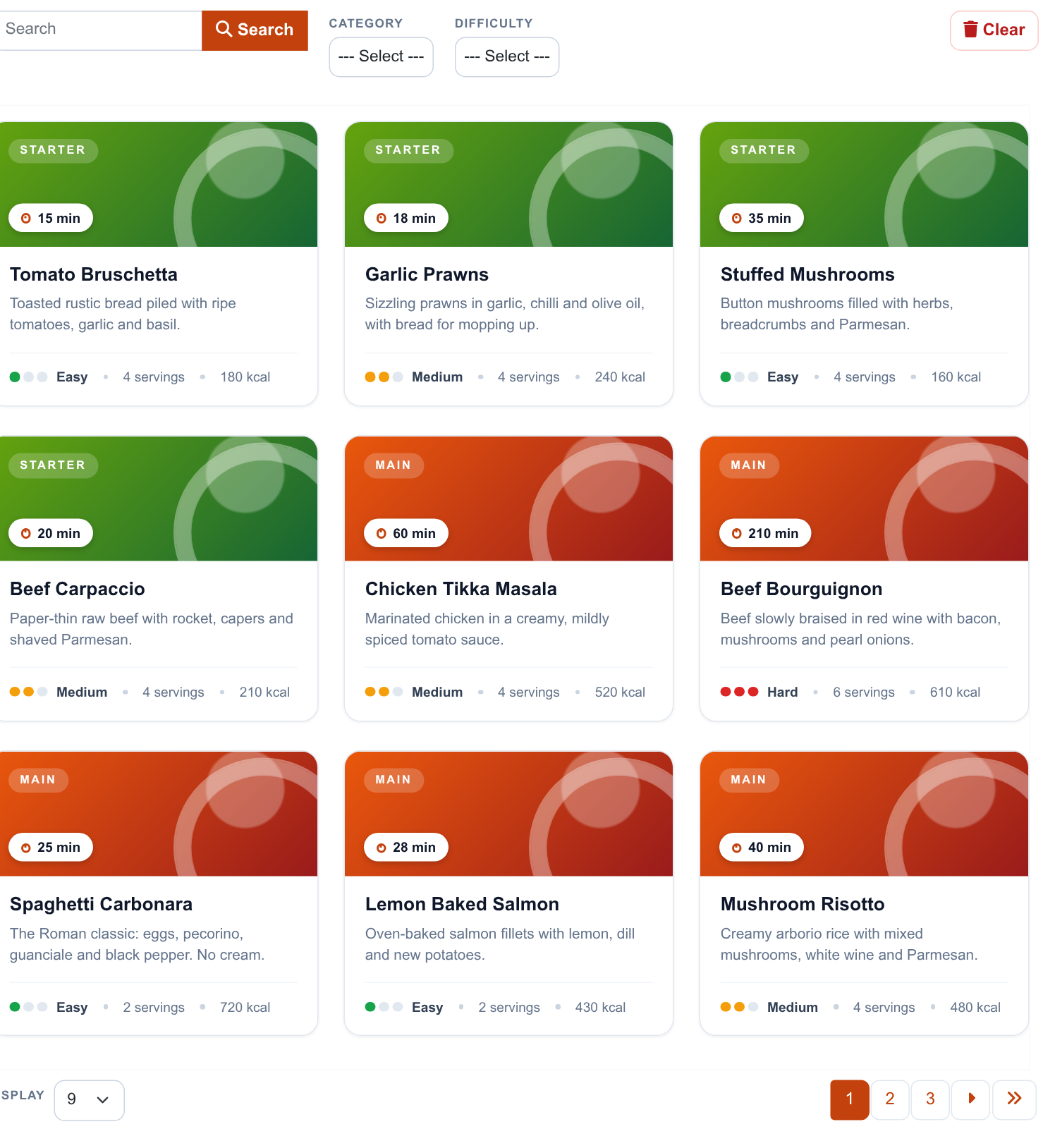
The whole list on the frontend: toolbar with search and filters, recipe cards and pagination.
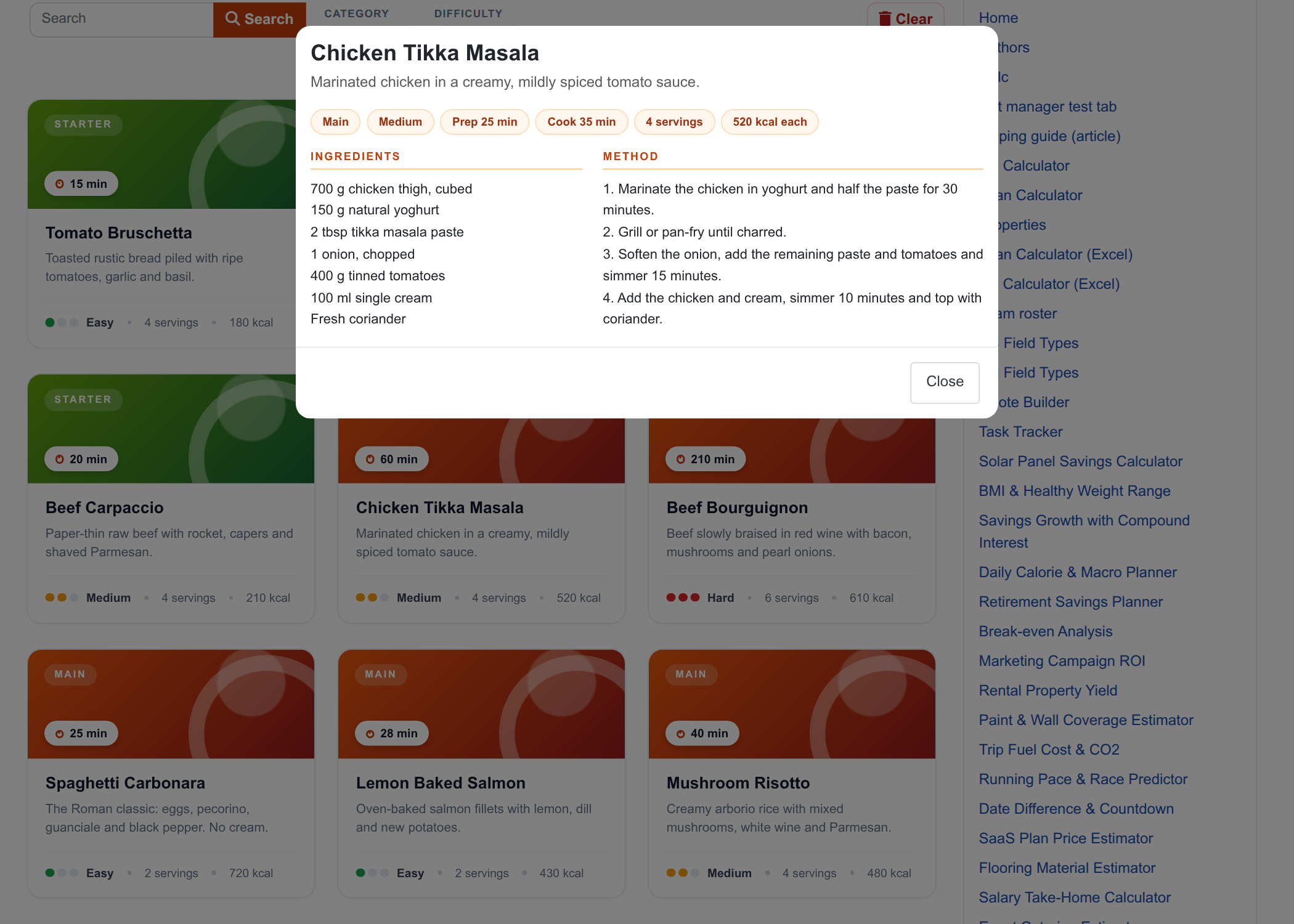
The detail pop-up with ingredients and method.
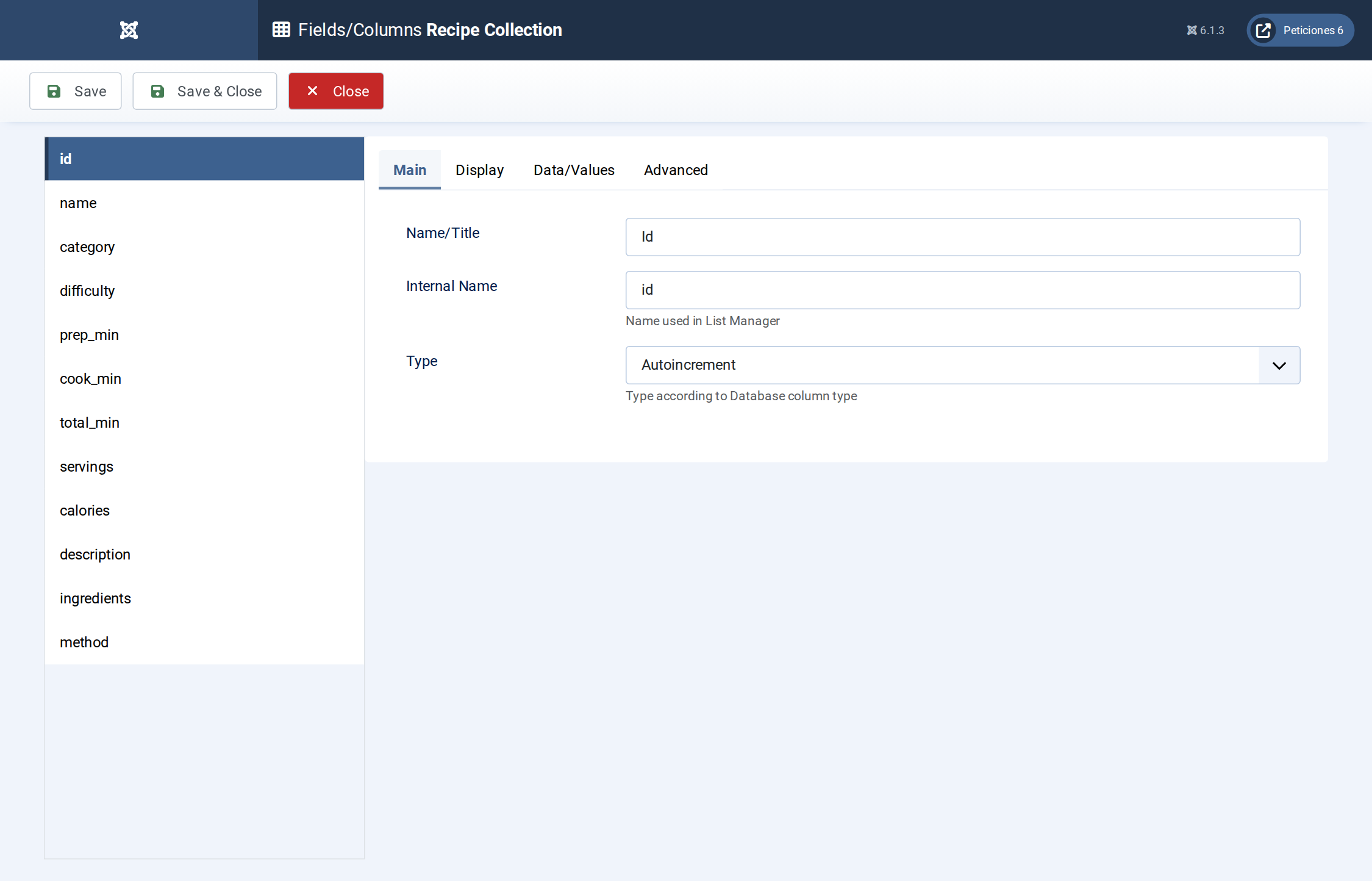
Fields/Columns: twelve columns with their types (text, option lists, numbers, textareas).
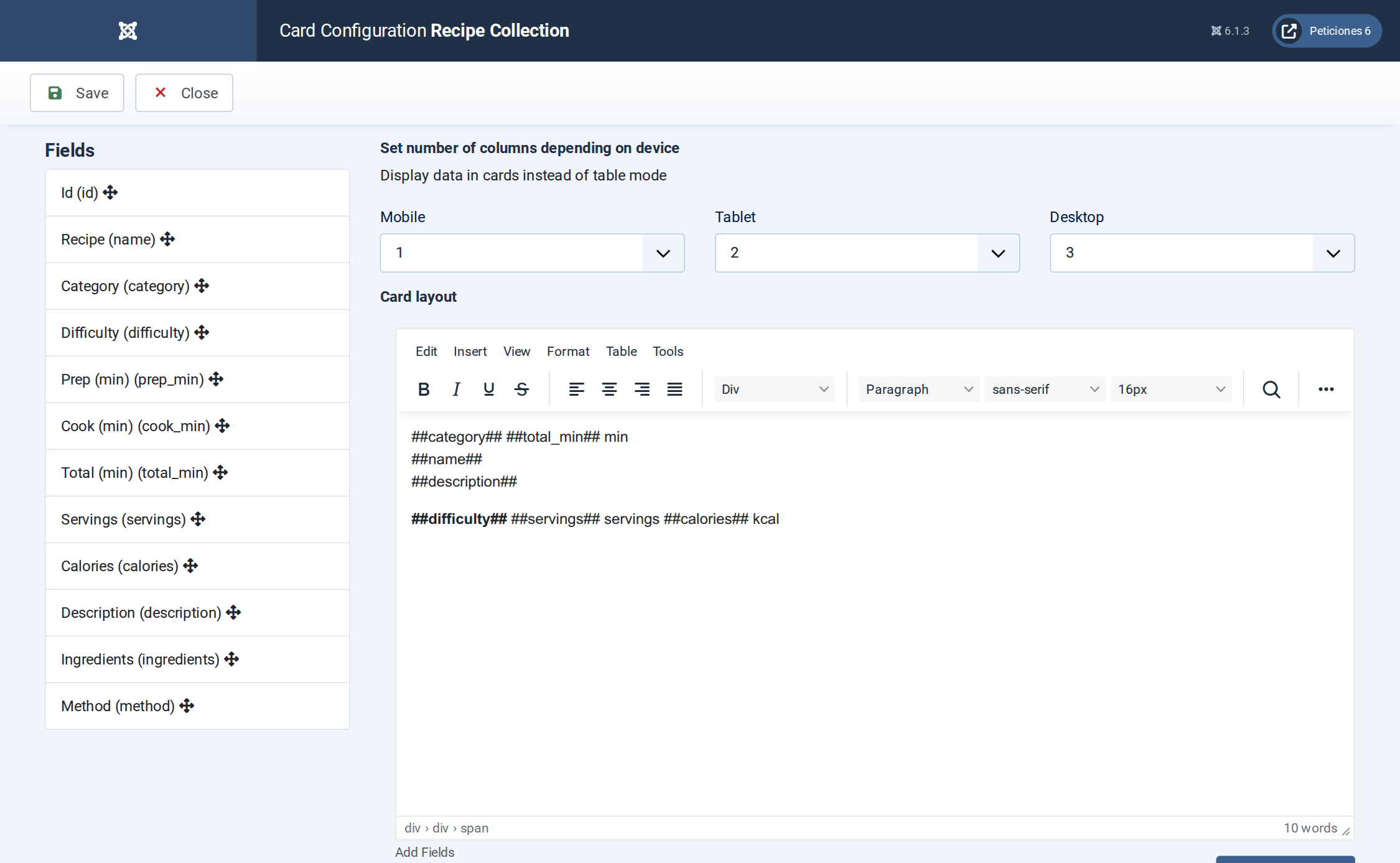
Display › Card: number of columns per device and the card HTML with its placeholders.
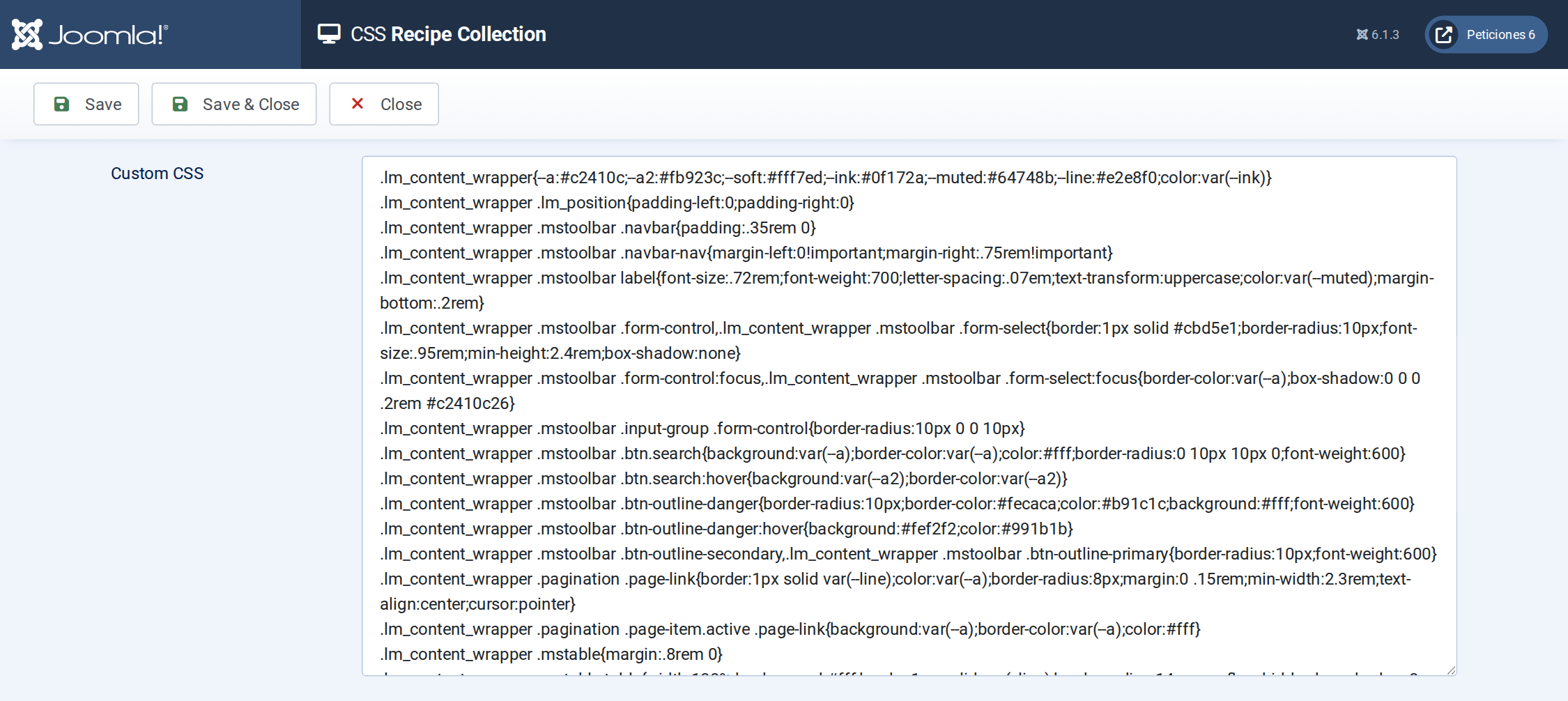
The CSS screen holds the toolbar, pagination and card design, including the category gradients.
Want this exact example on your own site?
- Create the table. Run the SQL file in phpMyAdmin (or the mysql client) on your Joomla database. It creates the sample table with its data (the table name has no Joomla prefix and is replaced if it already exists).
- Import the configuration. In your Joomla admin open Components › List Manager › Import and upload the configuration file — it is the same file the component's own Export Configuration button produces.
- Publish it. Create a menu item of type List Manager and select the imported list.