
 CalcBuilder example
SaaS Plan Price Estimator
September 21, 2026

Live result on the frontend
The SaaS Plan Price Estimator turns a pricing page into an interactive quote. Visitors choose a plan, a team size, optional add-ons and a billing period and see an itemised, invoice-style breakdown instantly.
What it calculates
A visitor picks one of three plans, types a number of seats, ticks add-ons and chooses monthly or yearly billing, with an optional non-profit discount. The calculator returns:
- Line-item quote — the plan multiplied by the seats, every selected add-on (per seat or flat fee), the subtotal, each discount and the totals.
- Monthly and yearly totals — two hero cards; with yearly billing the customer pays for 10 months and gets 12, and the monthly figure is the effective price.
- Effective price per seat — the total per month divided by the seats, and how much is saved per year against the list price.
- Plan comparison — the same team, add-ons, billing and discount priced on each of the three plans, with the chosen plan highlighted.
How it’s built
A Radio field carries the plan (the per-seat price is written in each label), a Number field the seats, a Multiple Option List the add-ons, a second Radio the billing period and a Yes/No field the non-profit discount.
The prices live in two small arrays at the top of the PHP Code, so changing a price or adding an add-on means editing one line. The multiple list arrives as an array of option values (or nothing when no box is ticked, which the code handles). The PHP Code builds the invoice table as an HTML string, including only the discount rows that apply, and the Exit Layout drops it in with ##table##.
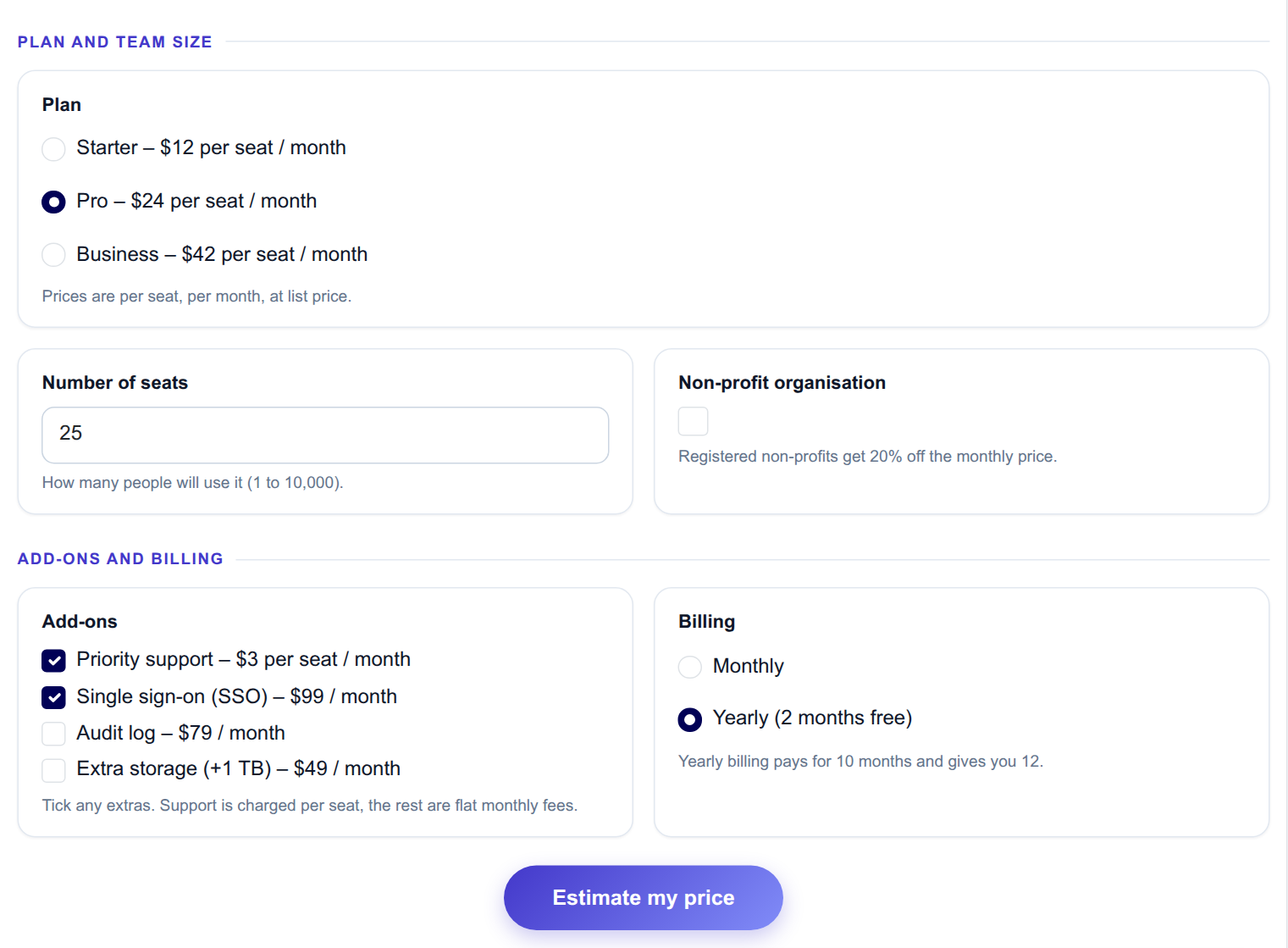
The input form as your visitors see it, styled with the Form Layout.
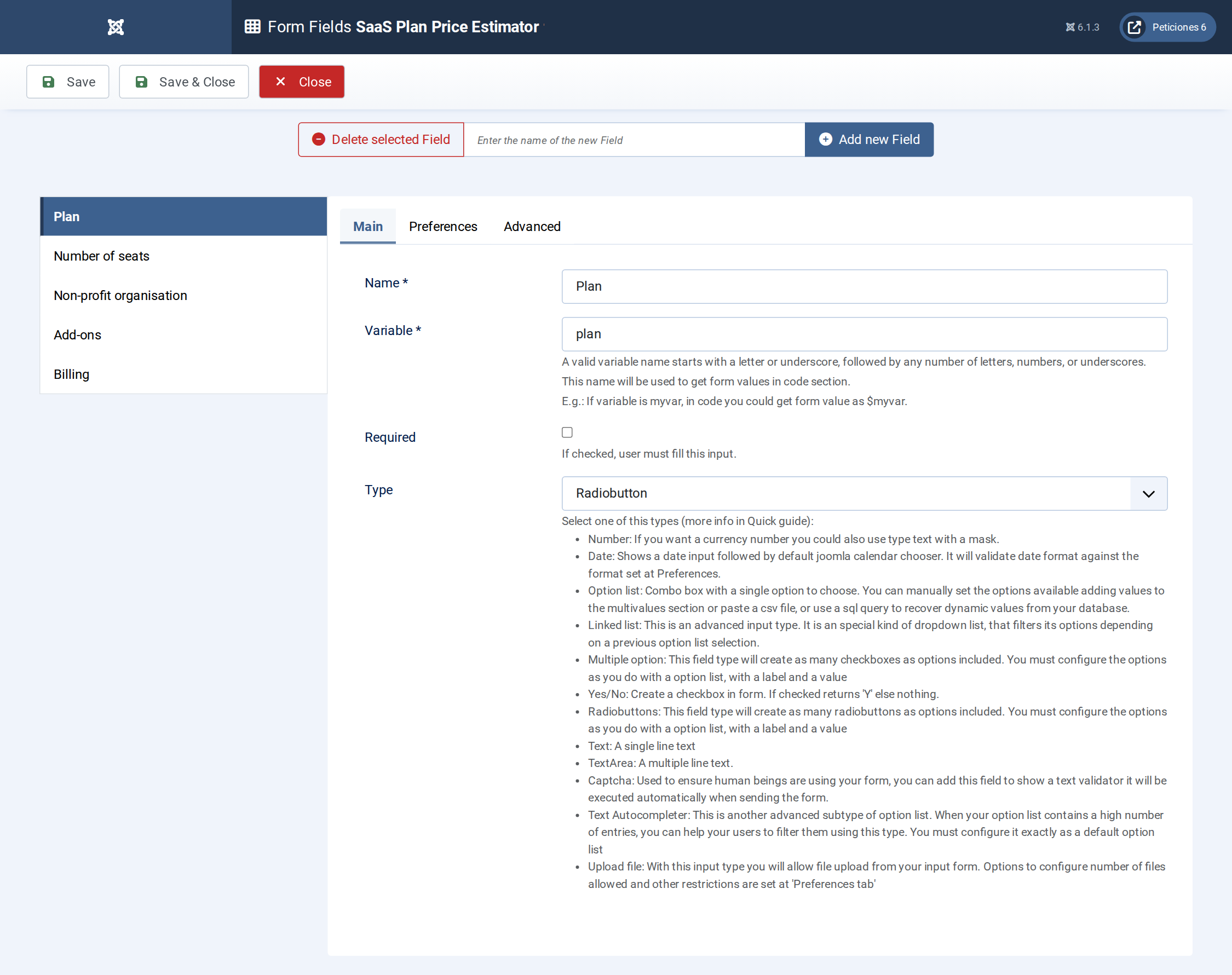
Five fields: two Radio fields, a Number field, a Multiple Option List and a Yes/No field.
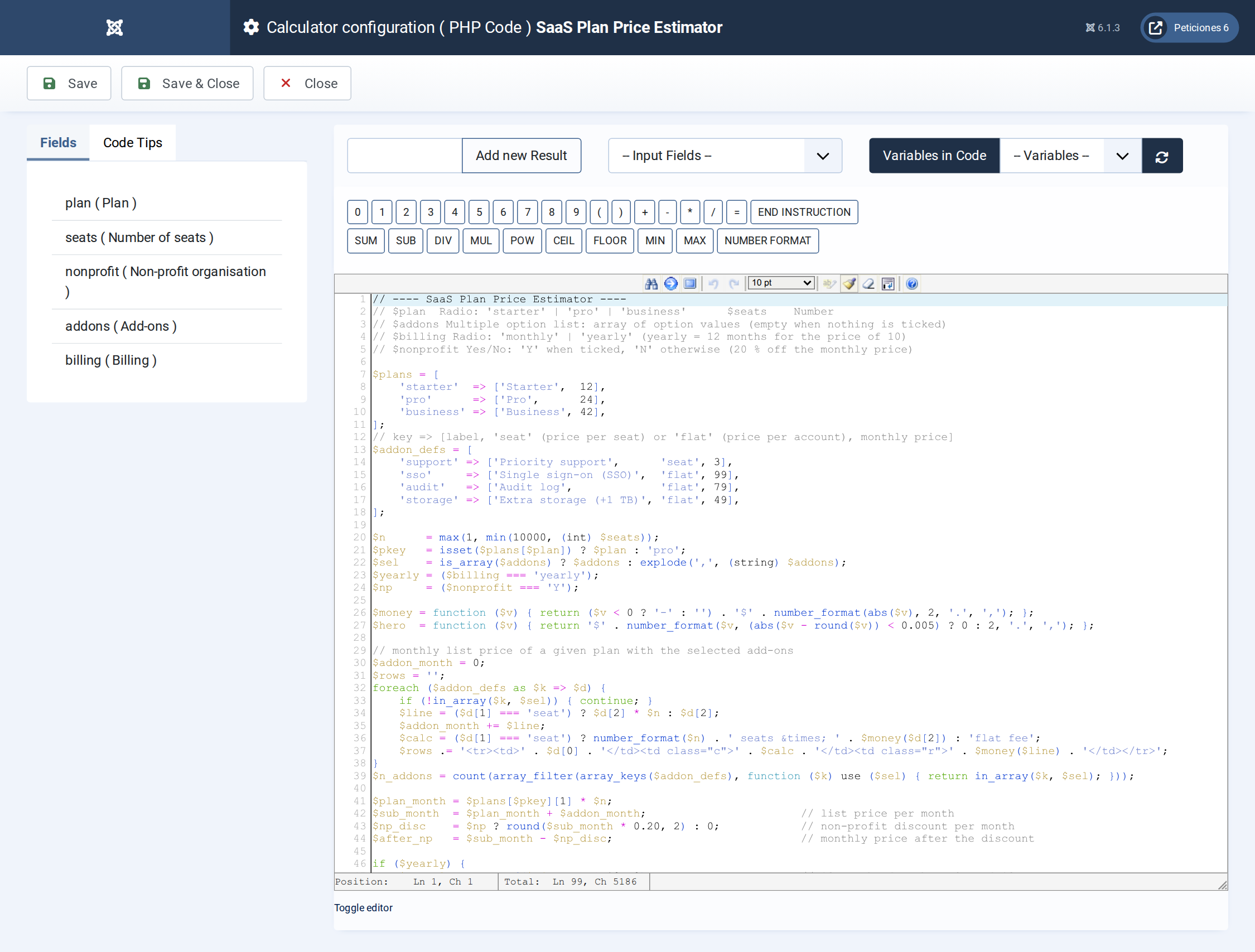
Price arrays, add-on and discount arithmetic, the invoice table and the per-plan comparison bars.
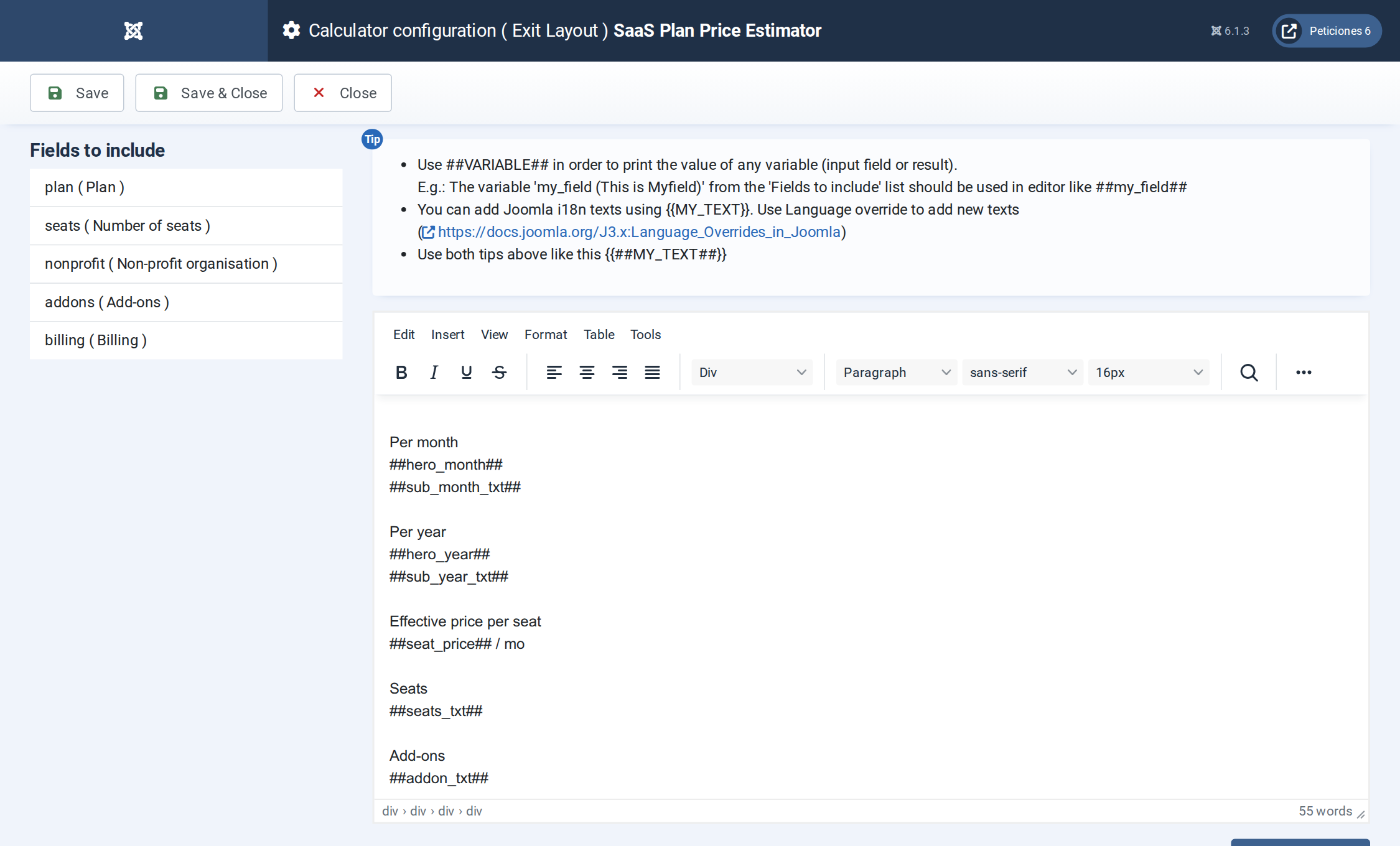
The Exit Layout: two hero cards, four metric cards, the invoice table and the plan comparison.
Want this exact example on your own site?
Download the file above, then in your Joomla admin open Components › CalcBuilder › Import and upload it — it's the same file you'd get from that component's own Export button, so it drops in as a ready-to-use, fully working copy in one step.